Saturday, March 14, 2015

Snapdeal Loot - Refer & Earn Snapdeal Cash [Rs 50/Refer]

9:50 AM Posted by Unknown No comments
snapdeal_loot_refer_and_earn_snapdeal_cash
Snapdeal is back again with refer and earn program where you can earn unlimited Snapdeal cash by referring your friends. You can use this Snapdeal Cash to shopping on Snapdeal website. This offer is awesome for those who has big circle of friends so that they can share their own referral link to install Snapdeal Android application. So stop wasting your precious time and start looting Snapdeal application by following below given steps.


Snapdeal Now Giving Rs.50 Per Referral  & SD Cash Amount Increased To Rs.500 Again
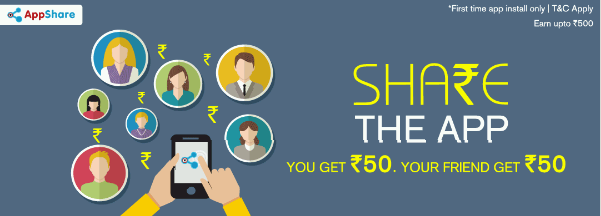

earn_unlimited_snapdeal_cash_latest_loot


Follow below steps :

Step 1. First install Snapdeal App in your smartphone [You can also use YouWave]

Step 2. After installation complete open Snapdeal App and click on 'EARN REWARD'

Step 3. Now enter Invite Code -  qWWq244350 to get Rs 50 Snapdeal Cash and then enter your mobile no. in below box and click on 'Continue'

Step 4. Then  confirm OTP and then sign up or sign in to continue.

Step 5. Now click on 'Invite and Earn' and note down your own Referral  Link

Step 6. Now to earn Unlimited Snapdeal Cash Just follow the above steps but use your own Invite Code and use different Mobile No.

You can aslo use Youwave for unlimited SD Cash Loot. To do so just factory reset Youwave after every registration. For each successful referral you will get 50rs SD Cash and your referral too.

NOTE - In Youwave downloading Snapdeal app form playstore will not give you Reward option so download Snapdeal APP from below given link to get that option in Youwave.


Download Snapdeal APP for Youwave : 

 Download Snapdeal APK To Loot by Youwave

Its depend upon how many number you can arrange. Per mobile no. you will get 50rs SD Cash. So arrange as many as number you can and earn unlimited Snapdeal Cash.

Note - You can earn maximum 500 rs per account so changer Invite code after collecting Rs. 500 and use another account's Invite and continue the process. :)

Hope you enjoyed this earning method. If you liked it please share it with your friends on Facebook and other social sites.

Thursday, March 12, 2015

Monetization Tab Disabled On YouTube Fix [Latest]

10:39 PM Posted by Unknown No comments
monetization_tab_disaled_on_youtube_account_fix
How to enable Monetization In YouTube Account :- 

Its a big issue on the web that many of  YouTube users get Red icon on Monetization Tab, Monetization tab disabled. I faced the same problem without any notice or email warning from YouTube. I searched on web for the solution but I didn't get any working solution for this issue. After that I found a working solution by which I got my Monetization Tab Enabled again in just 8 hours. Its just a simple and working solution for this problem. So follow the below steps and fix "Monetization Disabled on this account" :-


Step 1. First login to your YouTube account.

Step 2. Then go to My Channel > Video Manager > Channel > Features and Status or click Here! [http://www.youtube.com/features/]
enable_monetization_In_youtube_account_working


Step 3. Now here you will see Red Icon in front of Monetization Tab if Monetization is disabled on your account.
Before
how_to_enable_monetization_on_youtube_channel_quickly


Step 4. Now click on Send Feedback [At the bottom of Left Pannel]

monetization_disabled_on_your_account_fixed


Step 5. After click a popup will open. Now in the text box paste this:
   
            Why has my Monetization Tab disabled and my account is in good standing.

Step 6. Now highlight all the text and icons till Monetization tab. (As shown in pic below)

get_monetization_on_youtube_videos_in_just_one_day


Step 7. Now Click Next > Submit. That's it.

Now after you successfully submit, you will get an E-Mail from Google or YouTube, that Your account is enabled for Monetization and you can Monetize all of your YouTube videos.

Watch Video (Below) For Better Understanding. 
 After
solve_monetization_disabled_on_your_account_in_youtube_channel


Monetization Disabled On Your Account Fix [Full Video]

https://www.youtube.com/watch?v=1-wQu4fGGVo


Note :- If your account is not in Good Standing you will not get monetization feature back on your YouTube account. 


I hope this tutorial will help you to solve your problem. :)


Comment+Share+Like = Thank You! :)

Earn Extra Money With Fileice And Google Adsense

9:44 AM Posted by Unknown No comments

How to earn extra money with Fileice.net ?

Ok! In this post I will explain how you can earn extra money along with your current job with using your blog or website or YouTube Channel. So lets start: 

1. First of all you must have a Website or Blog and YouTube channel. 

2. If you don't have Website and can't effort to purchase a domain name then just create a new blog for your niche or ideas. 

3. Create a blog at blogger.com ( Its free and easy to create and maintain ) 

4. After creating blog, Now comes the real story. 

5. Now start posting tricks, tweaks, tips, cracks, serials, tutorials and things those are very useful and demanded and not avail  on the web for free. 

 6. Now create an account at Fileice.net and upload your stuffs and post your links in your blog

 7. But you must have good amount of unique visitors. 

8. To get more unique visitors, create YouTube channel, Facebook group and share your posts on Facebook groups and make videos of your tutorials and upload them on your YouTube channel and mention your blog in videos. 

9. So after getting huge traffic you will get many unique download and get paid on Fileice.net 

10. You can also use Google Adsense on your blog to show ads on your blog and earn good amount of extra cash. 


So its a quick and short post on " How to earn some extra cash with your blog using Fileice and Adsense " 

 If you like this post please share it with your friends on Facebook and other social sites because 'Sharing is Caring' :) 

Keep visiting for more upcoming tutorials and tricks. :) 

Comment+Share=Thank You! ;)

Sunday, March 8, 2015

Open VPN For UDP And TCP Unlimite Trick In Android Phone.

10:46 AM Posted by Unknown No comments
To connect to UIC VPN from Android devices, you will have to install the OpenVPN Connect client and download your VPN configuration file.

Install OpenVPN Connect

Download and install the OpenVPN Connect client from Here

Download VPN configuration file

  1. Open your mobile browser to download your VPN configuration file (authentication required).  My config file will be named UIC-netID.ovpn with netIDbeing your UIC netID

  1. Either click on the download notification once it finishes or navigate to where the configuration file is saved and open the file. The file should automatically open with OpenVPN Connect.
  2. OpenVPN Connect will ask you to accept the profile available for import, click Accept.

A prompt will appear asking for your username and password. Your username is your netID and your password is your common password.


A pop up will appear asking if you trust this application, please check the box and click OK.


OpenVPN will connect and there will be a green check mark once you have connected. In your notification bar, you should have two ongoing notifications while the VPN is active, one stating that a VPN is enabled, another stating that you are connected to UIC's VPN service.


Troubleshooting

If you click on Connected in the application, it will show the log file. This can be useful for troubleshooting if you're having problems getting the application to connect.


Open VPN For Android Direct LInk

Monetization Tab Disabled On YouTube Fix [Latest]

10:23 AM Posted by Unknown 1 comment
monetization_tab_disaled_on_youtube_account_fix
Fix Monetization Disabled in YouTube

How to enable Monetization In YouTube Account :- 


Its a big issue on the web that many of  YouTube users get Red icon on Monetization Tab, Monetization tab disabled. I faced the same problem without any notice or email warning from YouTube. I searched on web for the solution but I didn't get any working solution for this issue. After that I found a working solution by which I got my Monetization Tab Enabled again in just 8 hours. Its just a simple and working solution for this problem. So follow the below steps and fix "Monetization Disabled on this account" :-


Step 1. First login to your YouTube account.

Step 2. Then go to My Channel > Video Manager > Channel > Features and Status or click Here! [http://www.youtube.com/features/]
enable_monetization_In_youtube_account_working
Status and features


Step 3. Now here you will see Red Icon in front of Monetization Tab if Monetization is disabled on your account.
Before
how_to_enable_monetization_on_youtube_channel_quickly
Monetizatin Disabled


Step 4. Now click on Send Feedback [At the bottom of Left Pannel]

monetization_disabled_on_your_account_fixed
Send Feedback


Step 5. After click a popup will open. Now in the text box paste this:
   
            Why has my Monetization Tab disabled and my account is in good standing.

Step 6. Now highlight all the text and icons till Monetization tab. (As shown in pic below)

get_monetization_on_youtube_videos_in_just_one_day
Select everything until monetization tab


Step 7. Now Click Next > Submit. That's it.

Now after you successfully submit, you will get an E-Mail from Google or YouTube, that Your account is enabled for Monetization and you can Monetize all of your YouTube videos.

Watch Video (Below) For Better Understanding. 
 After
solve_monetization_disabled_on_your_account_in_youtube_channel
Monetization is enabled :)


Monetization Disabled On Your Account Fix [Full Video]


Note :- If your account is not in Good Standing you will not get monetization feature back on your YouTube account. 


I hope this tutorial will help you to solve your problem. :)


Comment+Share+Like = Thank You! :)

Wednesday, March 4, 2015

Candy Crush Saga 1.47 MOD APK [Latest]

11:00 AM Posted by Unknown No comments
candy_crush_saga_dull_modified_apk_direct_download
Candy Crush Saga v1.47.0 Modified APK

Candy Crush Saga, the casual game from the makers of Pet Rescue Saga and Farm Heroes Saga, is the most famous casual game available for Android devices. Play Candy Crush Saga v1.47.0 and join Tiffi and Mr. Toffee in their sweet adventure through the Candy Kingdom. Pass or cross the first 50 levels to unlock the Dreamworld and escape reality alongside an own named Odus.


Candy Crush Saga Features

  1.    Tasty candy graphics that will leave you hungry for more
  2.     Unwrap delicious environments and meet the sweetest characters
  3.     Helpful magical boosters to help with challenging levels
  4.     Complete adventurous levels and unlock treats
  5.     Easy and fun to play, challenging to master
  6.     Hundreds of sweet levels in the Candy Kingdom – more added every 2 weeks!
  7.     Leaderboards to watch your friends and competitors!
  8.     Easily sync the game between devices and unlock full game features when connected to the Internet
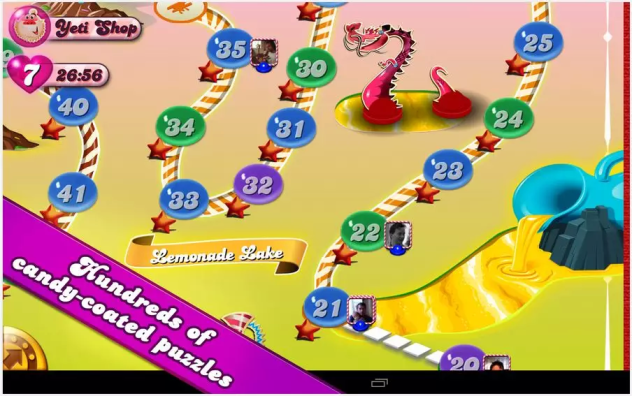
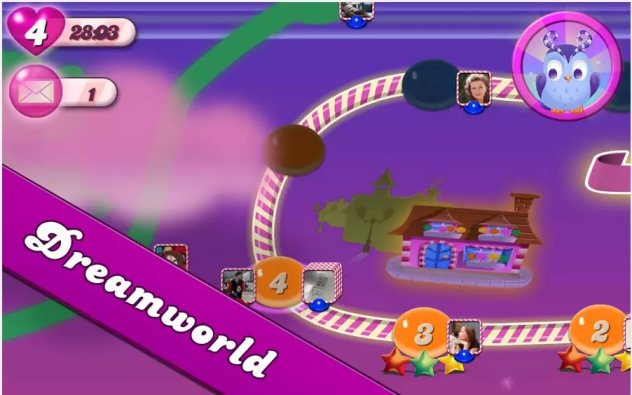
Screenshots
candy_crash_saga_1.47_mod_apk_free_download

Candy_crush_saga_full_mod_apk_unlimited

Candy Crush Saga v1.47.0 Mod Apk Features

  1.     Infinite live
  2.     Unlock all boosters
  3.     Always win
  4.     Infinite lollipops
  5.     Infinite moonstrucks
  6.     Infinite brushes
  7.     Infinite free switches
  8.     Score multiplier
  9.     Unlock dreamworld
  10.     Unlock all episodes
  11.     Unlock all levels
  12.     Unlock all dreamworld episodes
  13.     Unlock all dreamworld levels
  14.     Instant win on jelly levels  
  

How to Login to FB


  1.     Uninstall Facebook Apps/Messenger From Your Devices
  2.     Launch The Game And Login Into Your Facebook Within The Game
  3.     Once Login And Synchronization Is Complete You Can Re-Installed Facebook Apps/Messenger B


 How to Install MOD APK ? 

  1. Just download the .apk file 
  2. Move .apk file in your phone memory
  3. Install the APK as usual 
  4. Run. Enjoy! ;) 
Candy Crush Saga MOD APK Gameplay Full HD 


     Download Candy Crush Saga MOD APK 

     Candy Crush Saga 1.47.0 Mod APK Direct Download


    Share+Like+Comment= Thank You! :)

    Saturday, February 28, 2015

    Guitar Pro Apk For Android Phone

    5:23 AM Posted by Unknown No comments


    Guitar Pro For Android
    The Guitar Pro application allows all guitarists to enjoy viewing, playing, as well as writing tablature easily, right from their mobile device.
    This mobile version of the famous Guitar Pro tab-editing program is the ideal companion for you to practice your favorite songs and share them at any time, anywhere!
    An arpeggio, a riff, a chord sequence ringing in your head? You can now note and save all this on the single-track tablature NotePad.

    Features
    • Supporting GP3/4/5 and GPX (Guitar Pro 6) formats,
    • Reading music scores purchased on the portal mySongBook,
    • File import via USB, web server and file browser,
    • Built-in file library with search, filter, and favorite,
    • Multitrack playback with soundboard: volume, solo-mute, soundbanks,
    • Metronome and visual countdown,
    • 3 levels of zoom,
    • Guitar or bass fretboard (for right- and left-handers), and virtual keyboard.

    Guitar Pro Exclusive Features

    • Single-track tablature NotePad,
    • Instant tempo changes,
    • Global transposing by half-tones,
    • Tab, standard and slash notation,
    • Sending files via e-mail from the application,
    • Exporting files to GP format,
    • Playing any selection in loops,
    • Adjustable sound quality
    • Simplified navigation between sections.